

Capability: Integration Runtime
Connect the next system in days, not as a project.
Every system you connect to Canvas runs in its own sandbox. Paste the documentation, review what Canvas proposes, switch it on.
Why it matters
The slow part of a new system used to be the plumbing.
When every connection is a custom build, the useful system waits in a queue. Canvas turns connecting into a short, reviewable task that an integrator partner can finish quickly.
The Integration Wizard
From documentation to live data
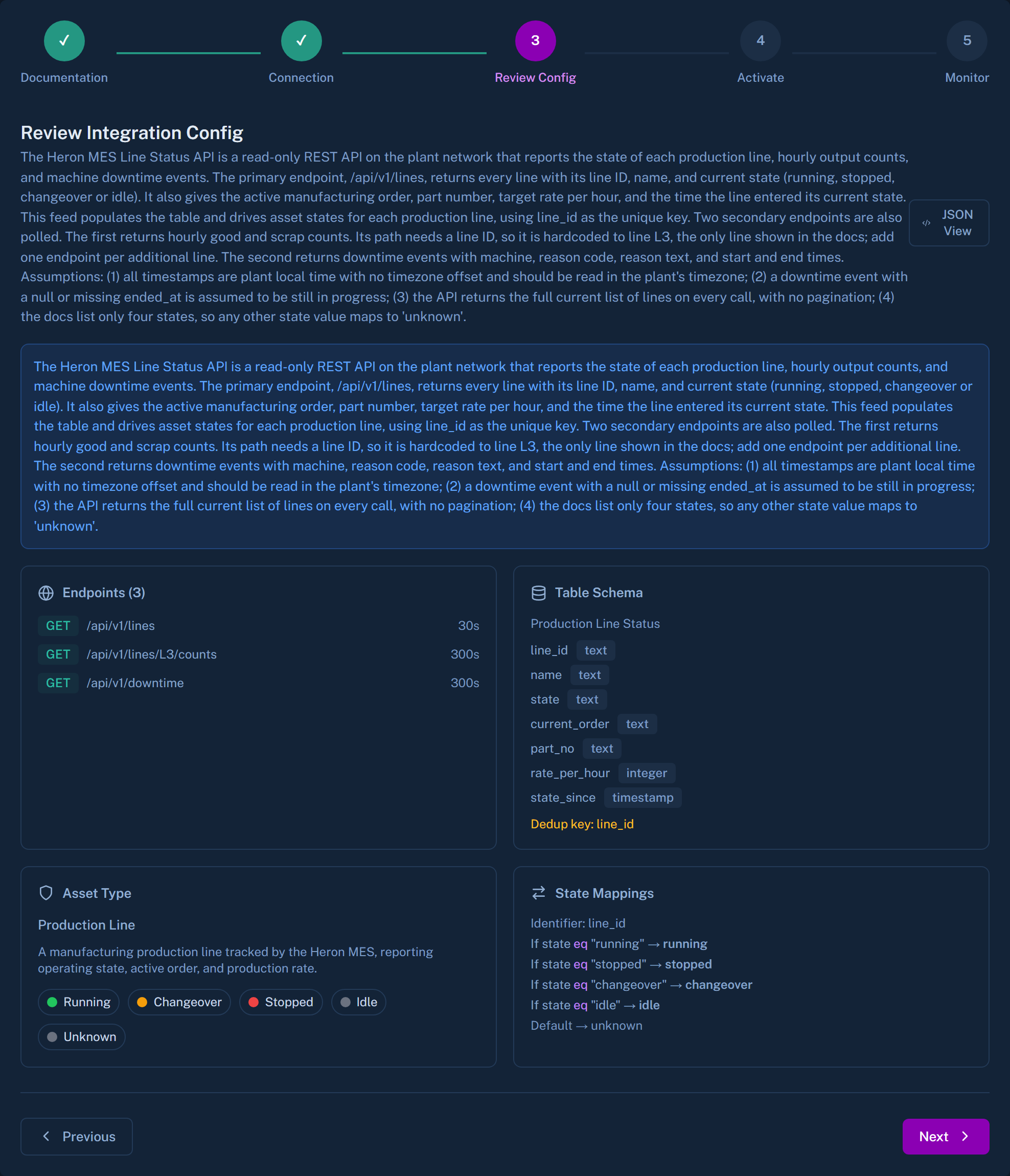
Paste or upload the API documentation
The Wizard works from the documentation you give it. It does not go looking for a system on its own.
Canvas proposes a connector
It drafts the calls it needs and tests them against the system.
You see real sample rows
Nothing is activated until a person has looked at what came back.
It goes live in its own sandbox
The connection is isolated from the other systems Canvas talks to.
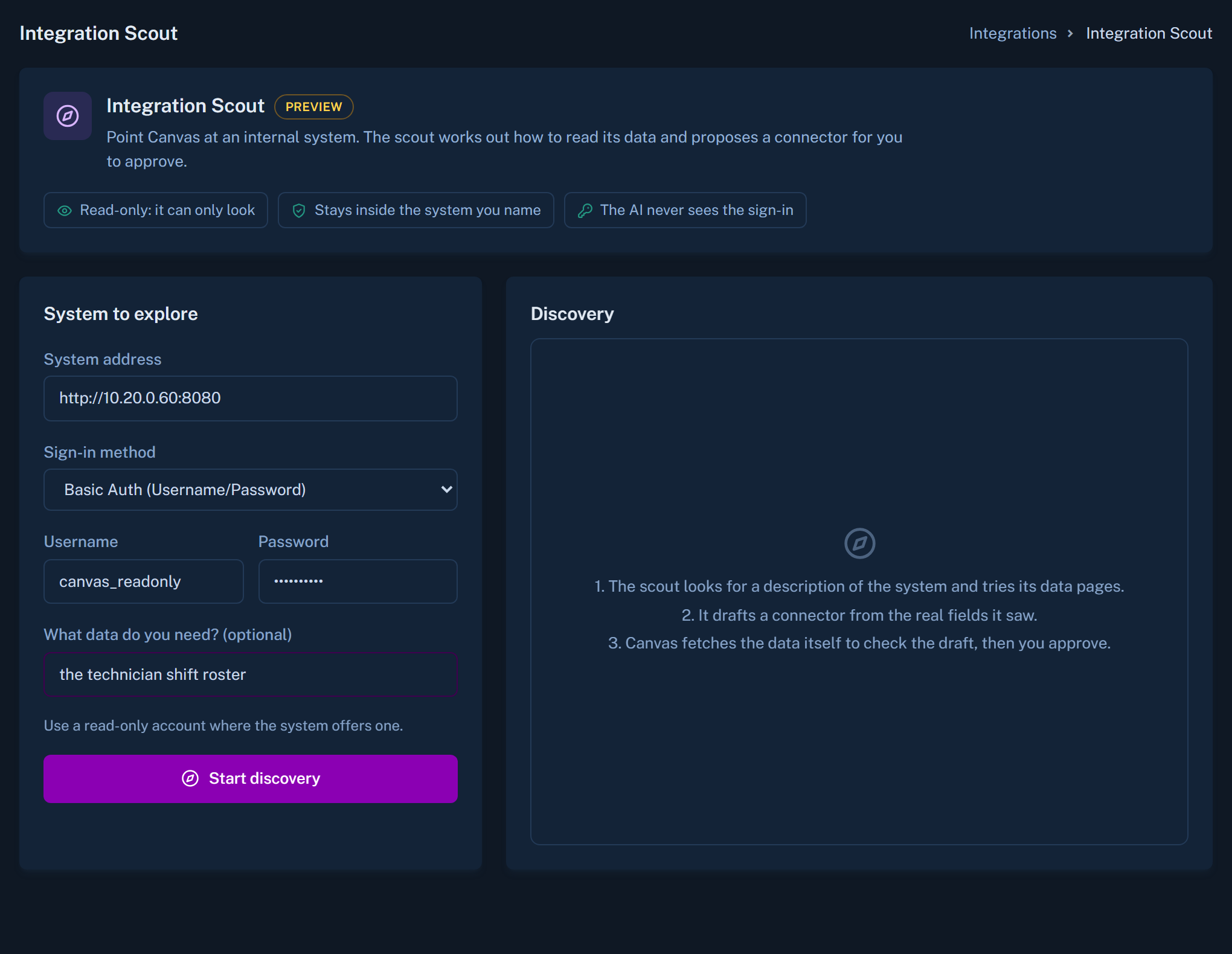
Preview: Integration Scout
Connect a system in an afternoon.
For tools that nobody documented, Integration Scout is in preview. You give Canvas a web address and a sign-in. It works out how the system exposes its data and proposes a connector. Canvas then repeats those calls itself and shows sample rows before anything is accepted. The exploring happens once, at setup. Nothing of it runs in the ongoing sync.
- Marked Preview in Canvas, under Add Integration, Custom
- Works today with systems that offer a JSON API
- You review the sample rows, then accept
What stays true
Connections you can reason about
One sandbox per system
A fault or change in one connection does not spread to the others.
A person accepts every connector
Canvas proposes. Your team or partner approves.
Standard protocols too
BACnet, MQTT, REST and SQL databases are covered by the same runtime.
Name the system everyone works around.
Tell us which one it is. We will show how it would connect.