

Capability: Tickets and Tasks
Every alarm ends with a name, a clock and a result.
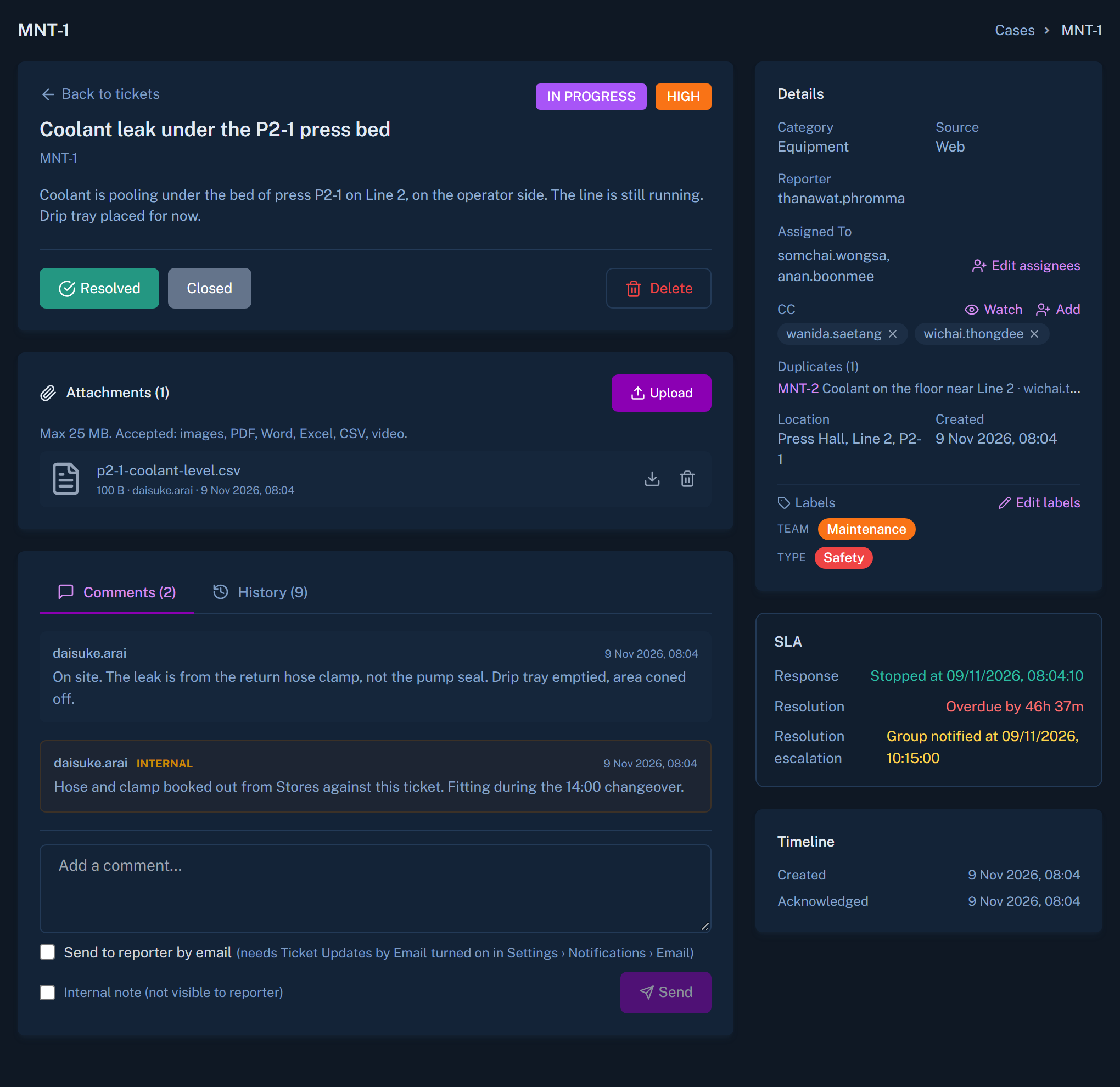
Canvas turns what happened into work: assigned, timed, escalated if it stalls, and closed with a record of how.
The outcome
Nothing sits in someone's head or in a chat thread.
When the work lives in one place, a director can see what is open, who holds it, and what is running late, without calling around.
- A status that moves through defined stages
- Approval chains where a sign-off is required
- Escalation when a ticket is not picked up

What a ticket carries
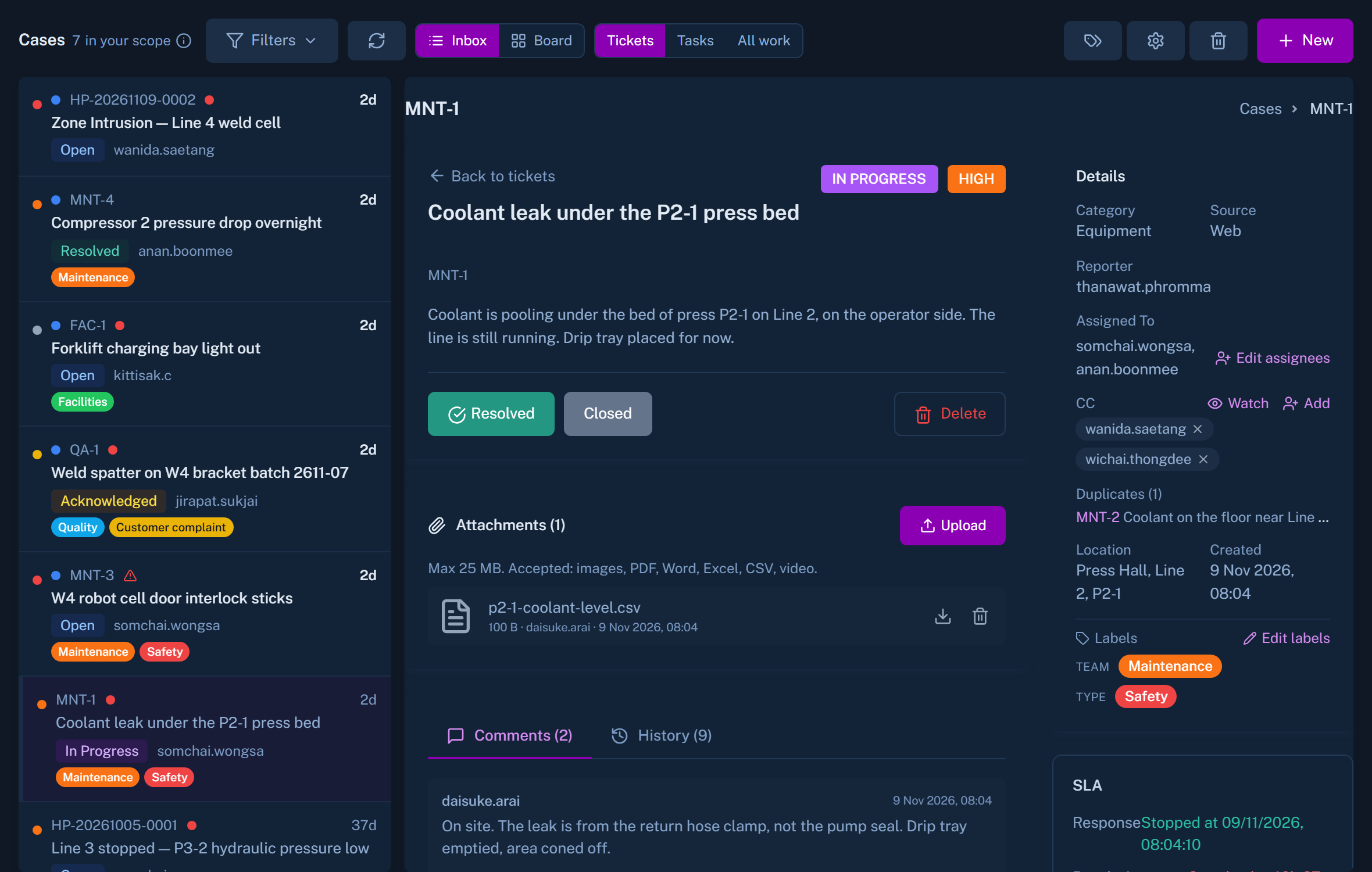
The detail that makes closing it quick
Per-step checklist
When an alarm creates a ticket, the steps of the matching SOP appear on it as a checklist.
SLA clocks
Tickets created by SOPs and by automations start a service-level clock.
Escalation
A ticket that stalls moves up to the next person.
Approval chains
Work that needs sign-off waits for the right person.
Worth knowing
Can we close a ticket from LINE, Telegram or Teams?
Not yet. Chat channels let people acknowledge and comment. A ticket is closed in Canvas.
Where do alarms come from?
From connected building systems, sensors and detections. See alarms, video and maps.
See an alarm become a closed job.
We will walk one event from first signal to the final checklist step.