

Capability: Alarms, Video and Maps
The alarm, the place and the camera in one view.
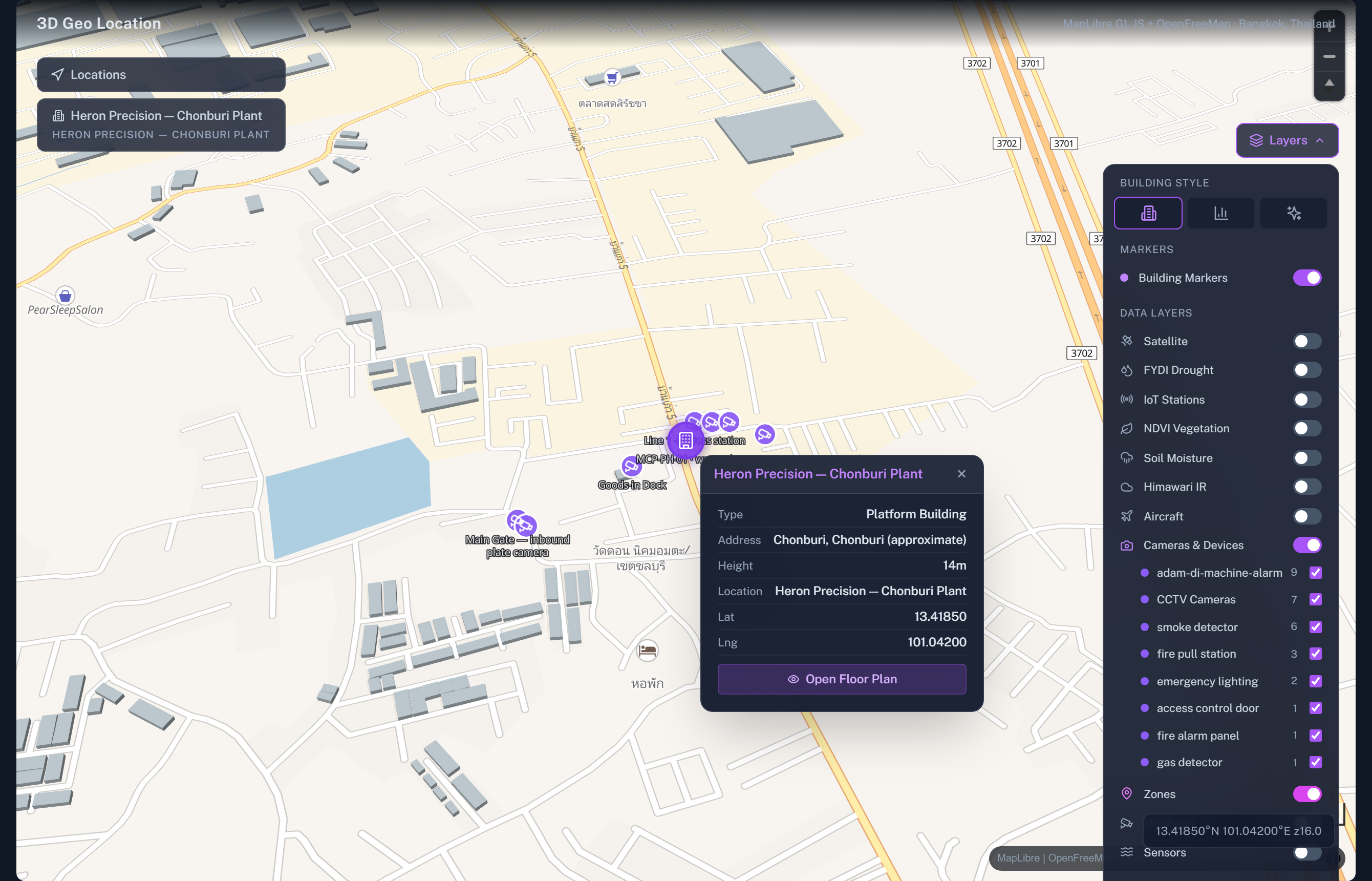
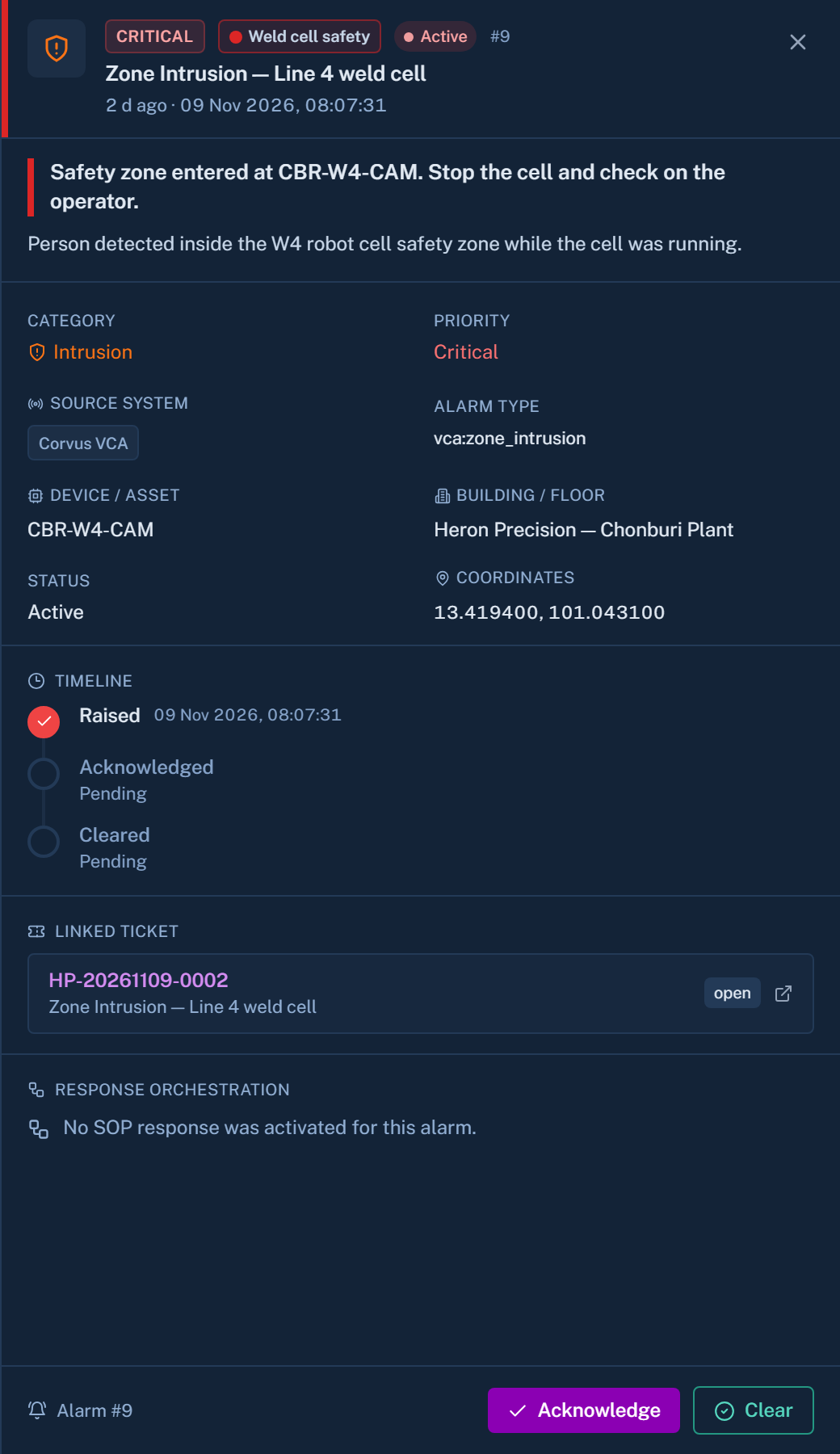
An alarm lights up on the building where it happened, with the camera beside it. The video stays in the system you already run.
A thin bridge
Canvas does not replace your video system.
Canvas is a thin bridge to the video system the customer already has. It is not a video management system and it does not record. Your recorders keep recording. Canvas brings live video to the place where the decision is made.
- Milestone XProtect, Luxriot EVO and Dahua recorders
- ONVIF cameras and IMOU cloud cameras
- No rip-and-replace
What you get
Four things, working together
Camera wall
A page of live views from the connected systems.
Cameras on the map
Each camera sits where it really is in the building.
Alarms that pulse on the building
You see where it is happening before you read the text.
Fire panels
Edwards fire panels and BACnet fire systems report their state into the same view.
Scale on the video side
- 2,500
- cameras on a national public-safety Milestone platform
Common questions
Does Canvas store our video?
No. Recording stays with your existing video system. Canvas shows live video and places cameras on the map.
What happens after the alarm?
It can raise a ticket with the matching procedure attached. See tickets and tasks.
Keep your cameras. Add the building around them.
Tell us which video system you run. We will show the map and camera wall on demo data.