

Capability: AI assistants
Assistants that answer from what your company has approved.
Upload your documents and a person approves them section by section. An assistant your team already uses can then answer from that approved knowledge, read-only.
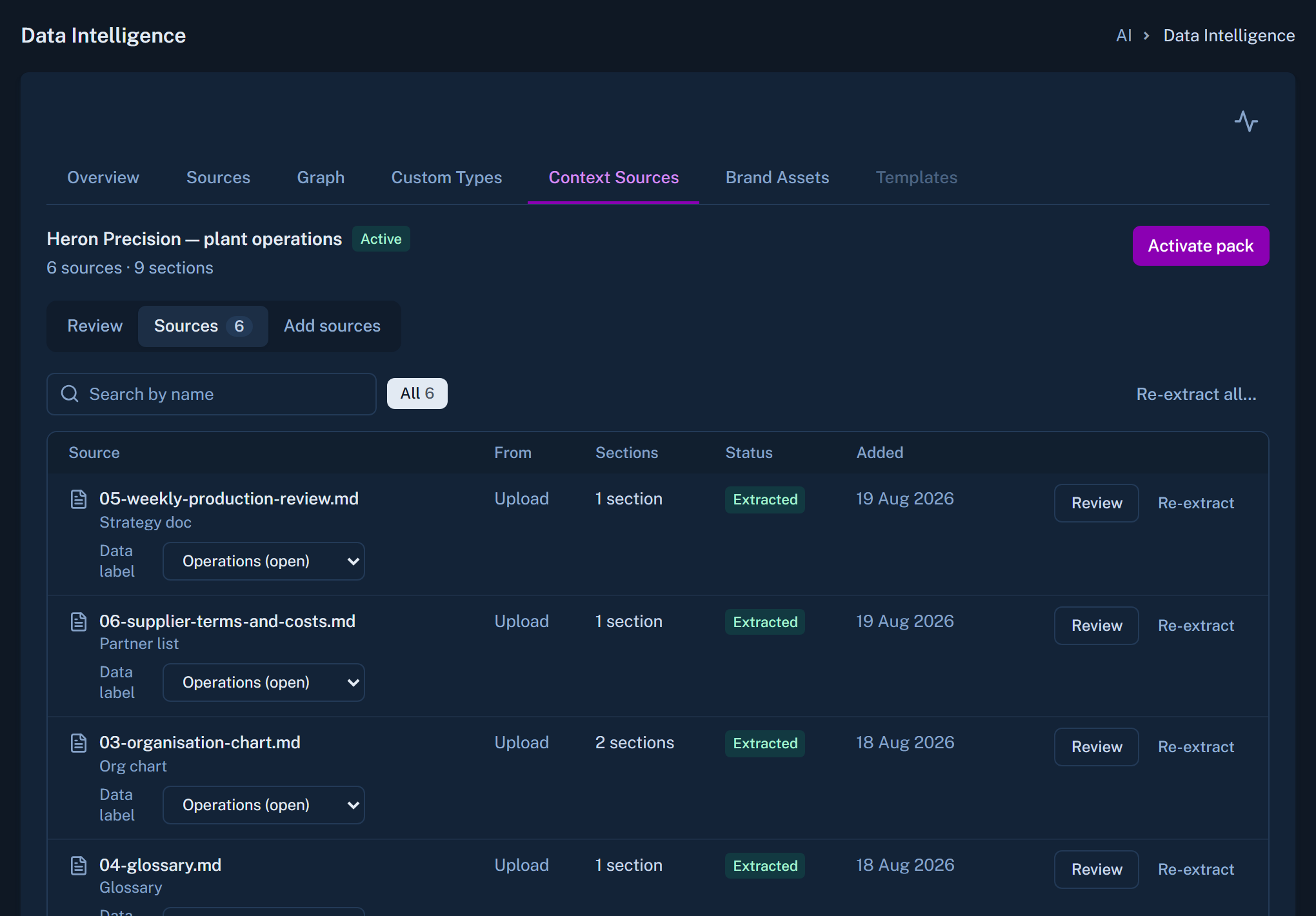
The context pack
Approved by a person, one section at a time
Upload your documents
PDF, Word, Excel, text, Markdown, images or a web address.
Canvas sorts them into sections
The first draft takes minutes.
A person approves each section
Only approved sections are ever used.
One pack is active
It feeds dashboards, chatbots and connected assistants.
Connecting an assistant
Your own sign-in, read-only.
An assistant such as Claude connects to Canvas by web address. The user signs in with their own Canvas account. The assistant can read the context pack, list brand assets, read the data model and ask data questions. It cannot change anything.
- Requires the AI Dashboard permission
- Removing a user's Canvas account ends their assistant's access
- Brand assets give documents your real logo and templates
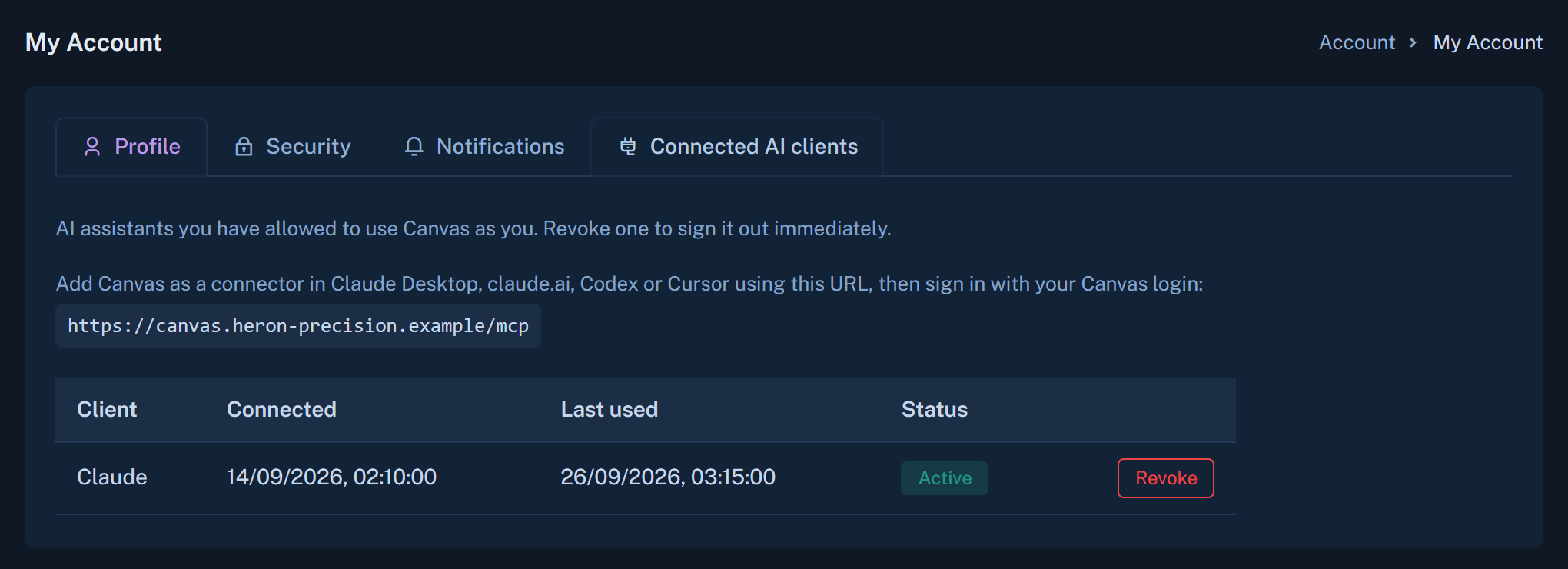
What we do and do not claim
Does it work with every assistant product?
We have not verified every product. Ask us about the one you use.
Can some people see only some sections?
Not today. Permissions apply at feature level.
Which files can go in?
PDF, Word, Excel, text, Markdown, images or a web address. PowerPoint is not supported.
Give your assistant a company it can quote.
We will build a small pack from your documents and connect an assistant to it.